Sometimes the video is not the part you want. A live set someone recorded, a podcast clip posted as a video, a language lesson, a talk you would rather listen to on a walk than watch on a screen. Keeping the whole MP4 for that is wasteful: it is several times the file size, and it forces you to look at your phone to use it.
Pulling the audio out as an MP3 fixes both problems, and the right Facebook video downloader does it in one step. The five tools below all do it for free, straight from a Facebook link, with no software to install. They differ in the bitrate you end up with, how many steps it takes, and how much advertising you have to click past.
1. FvidGo
What Is FvidGo
FvidGo is a free online Facebook downloader with a dedicated audio download page, separate from its Facebook Reel downloader and video pages. You paste a Facebook video link, and instead of handing you the video, it extracts the audio track and gives you an MP3. It runs in the browser, so there is nothing to install and no account to create.
The audio page sits alongside separate pages for feed videos, Reels, Stories, private videos, and photos. That matters because audio extraction is a different operation from saving a video file, and having its own entry point means you are not hunting for a format dropdown buried in a results list.
Key Features
- A dedicated Facebook audio download page that outputs MP3
- One step from link to audio, with no separate conversion stage
- Also saves video as MP4 with SD and HD options, up to 1080p
- Covers feed videos, Reels, Stories, private videos, and photos
- Unlimited free conversions with no registration and no daily cap
- A clean page with no ads and no sign-up wall
- Nothing kept on the server: no files stored, no download history logged
How to Convert a Facebook Video to MP3
- Open the Facebook post with the audio you want. Tap the three dots and choose Copy link, or copy the address from your browser’s bar.
- Go to fvidgo.com and open the audio download page. Paste the link into the box and start the search.
- Choose the MP3 option from the results and download. The file lands in your downloads folder, ready to drop into whatever music app you use.
Why FvidGo Leads on This
Most Facebook downloaders treat audio as an afterthought: you save the MP4, then go and find a separate converter, which means two tools and two waits. FvidGo does the extraction itself, so one paste gets you the file you actually wanted.
The practical details stack up in the same direction. There is no cap, so ripping the audio from a dozen clips costs nothing and takes no longer than the first one. There is no login, which matters more than it sounds when a site is asking you for a link tied to your own feed. The page is clean enough to work on a phone. And because nothing is retained server-side, a listening habit does not accumulate somewhere as a log, and neither does a Facebook private video download. Three steps, any browser, any device.
2. Snaptube
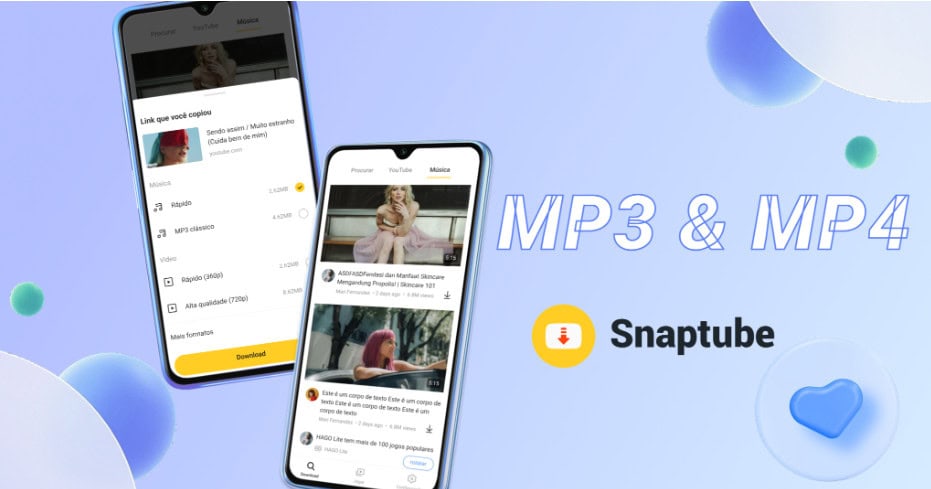
Snaptube is an Android app rather than a website, and for audio specifically it is the most capable option here. It handles MP3 and M4A output at bitrates from 70kbps all the way up to 320kbps, which is the range where a good pair of headphones starts to hear the difference. Nothing else on this list gives you that much control over audio quality.
Beyond Facebook it covers more than 100 platforms, with a built-in music search so you can find a track without hunting for a page first. It downloads whole playlists in one go, plays audio in its own player, and remembers your format choice so the second conversion is one tap. Subtitle downloads can be turned into lyrics for saved music. You install it from the official site or from stores like Xiaomi GetApps, Huawei AppGallery, OPPO App Market, vivo V-Appstore, HONOR App Market, Samsung Galaxy Store, and Palm Store; it is not carried on Google Play. Around 20MB, storage permission only, free with no subscription.
3. SnapVid.net
SnapVid.net started as a TikTok watermark-removal tool and expanded into other platforms, with a Facebook section that handles video and Reels and converts to MP3. It supports 1080p on the video side, needs no registration, and works in any browser on a phone or a computer.
Being a generalist has a trade-off. Facebook is one of four platforms it covers rather than its specialty, so there is no Story support, no private-video handling, and no photo downloads. Its traffic dropped sharply over a recent month, which makes long-term reliability harder to bet on. For straightforward MP3 extraction from a public Facebook video, though, it is quick and does not get in the way. Note that the name sits in a crowded neighbourhood: snapsave.app, snapsave.io, and SnapDownloader are all unrelated products.
4. FDownloader
FDownloader (fdownloader.net) is a browser-based Facebook tool with MP3 conversion built in, alongside public video downloads, a dedicated Reels page, and a private-video page. It supports 1080p on the video side and needs no install or account.
Its feature range is wide for a purely web-based tool, which is why several user communities rate it among the better free options in this category. Independent security scans came back clean in 2026. The limitations are ordinary: the page carries ads, there is no batch processing, and each conversion is another copy-paste. Reviewers also advise against entering account credentials anywhere on its private-video page, which is sound advice for any site of this kind.
5. FDownload
FDownload (fdownload.app) rounds out the list with MP3 extraction alongside pages for feed videos, Reels, and Stories. It supports 1080p and keeps audio with the video when you want the MP4 instead.
Worth being precise here, because the naming in this corner of the web is genuinely confusing: fdownload.app, fdownloader.net, and fdown.net are three different addresses, and it is easy to type one while meaning another. Check the domain before you trust a page with a link. FDownload’s own distinguishing feature is Story coverage, which most web-only Facebook tools skip entirely. Its traffic has been declining over recent months, so treat it as a backup rather than a first choice.
Which One Should You Use?
If Facebook is where your audio comes from and you want the shortest path, FvidGo is it: a dedicated audio page, one paste, unlimited and free, nothing installed. If audio quality is the priority and you are on Android, Snaptube’s 320kbps ceiling and playlist handling make the install worthwhile. SnapVid.net, FDownloader, and FDownload all convert public videos competently and are useful when one of them is having an off day.
About the Author